FAQ for Parents
You deserve to understand the apps your child uses. Valid includes parental controls through Parent access, so linked parents can stay involved from their own phone.
Set up parental controls
Enter your child's Valid username or phone number to turn on Parent access for their account. We'll then walk you through linking your phone, step by step.
Next, link your phone
If is a Valid account under 18, Parent access is now on. Have your child's iPhone and your own phone with you, then follow these steps.
-
Your child's iPhone
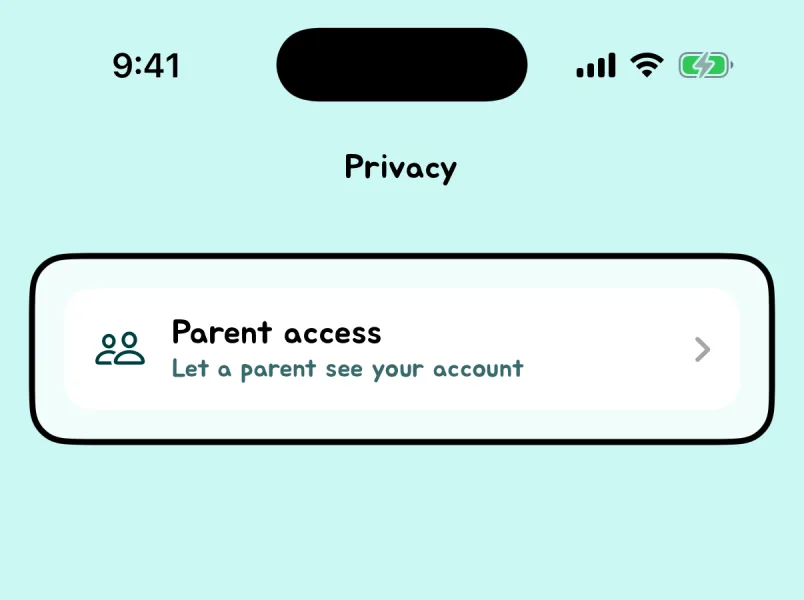
Open Parent access
Open Valid and go to their profile. Tap the ⚙︎ Settings button, then Privacy, then Parent access.
If Privacy was already open, close it and open it again.
-
Your child's iPhone
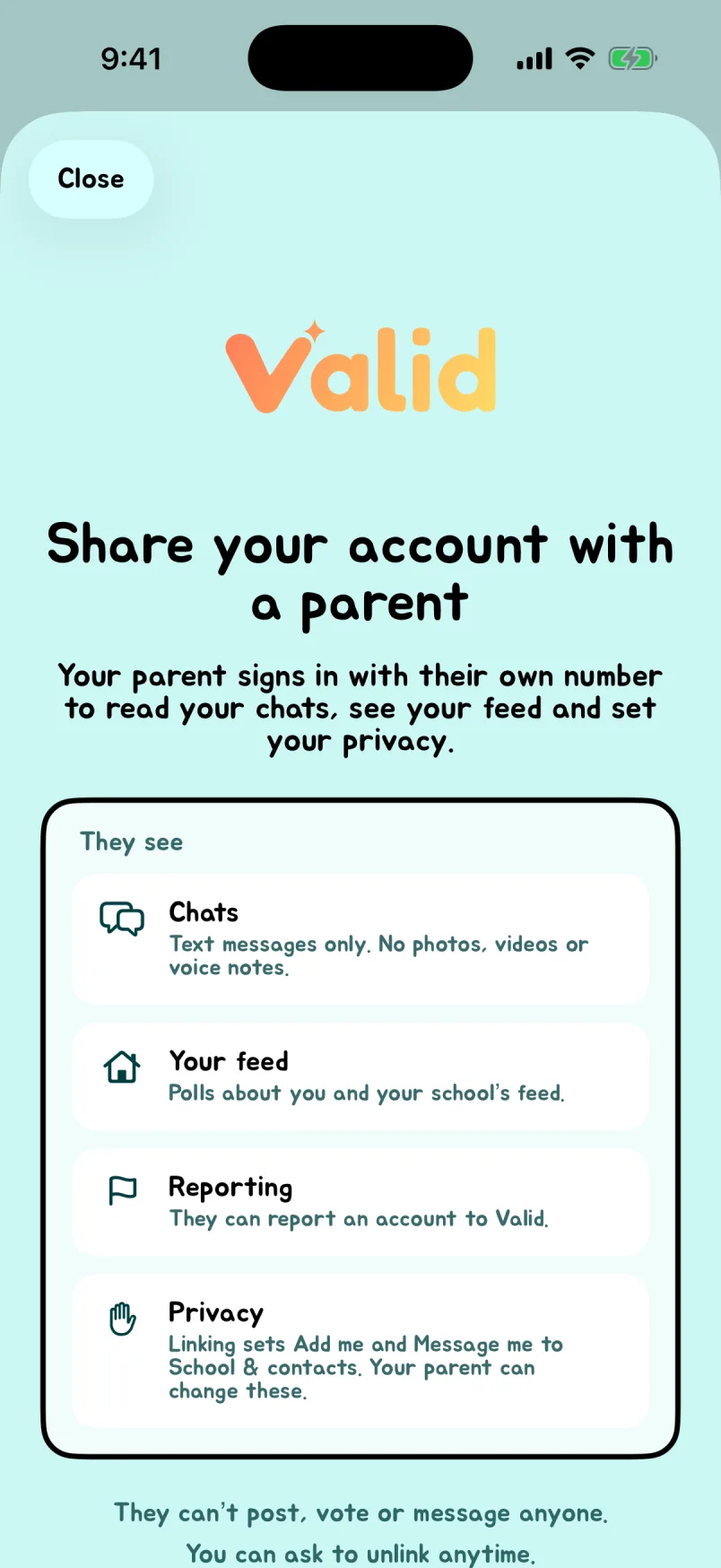
Enter your phone number
Read what you'll be able to see together, then tap Continue. Enter your own phone number (not your child's) and tap Send code.
-
Your child's iPhone
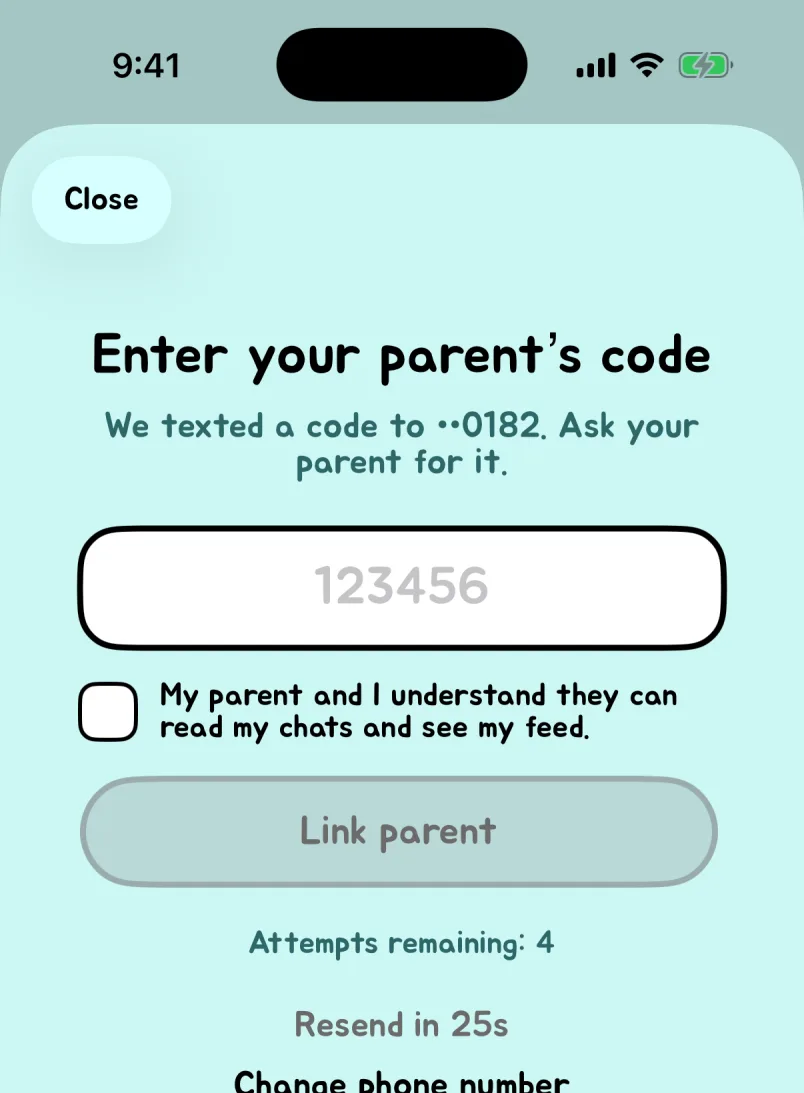
Type the code from your phone
We text a code to your phone. Type it on your child's iPhone, check the box, and tap Link parent.
-
Your phone
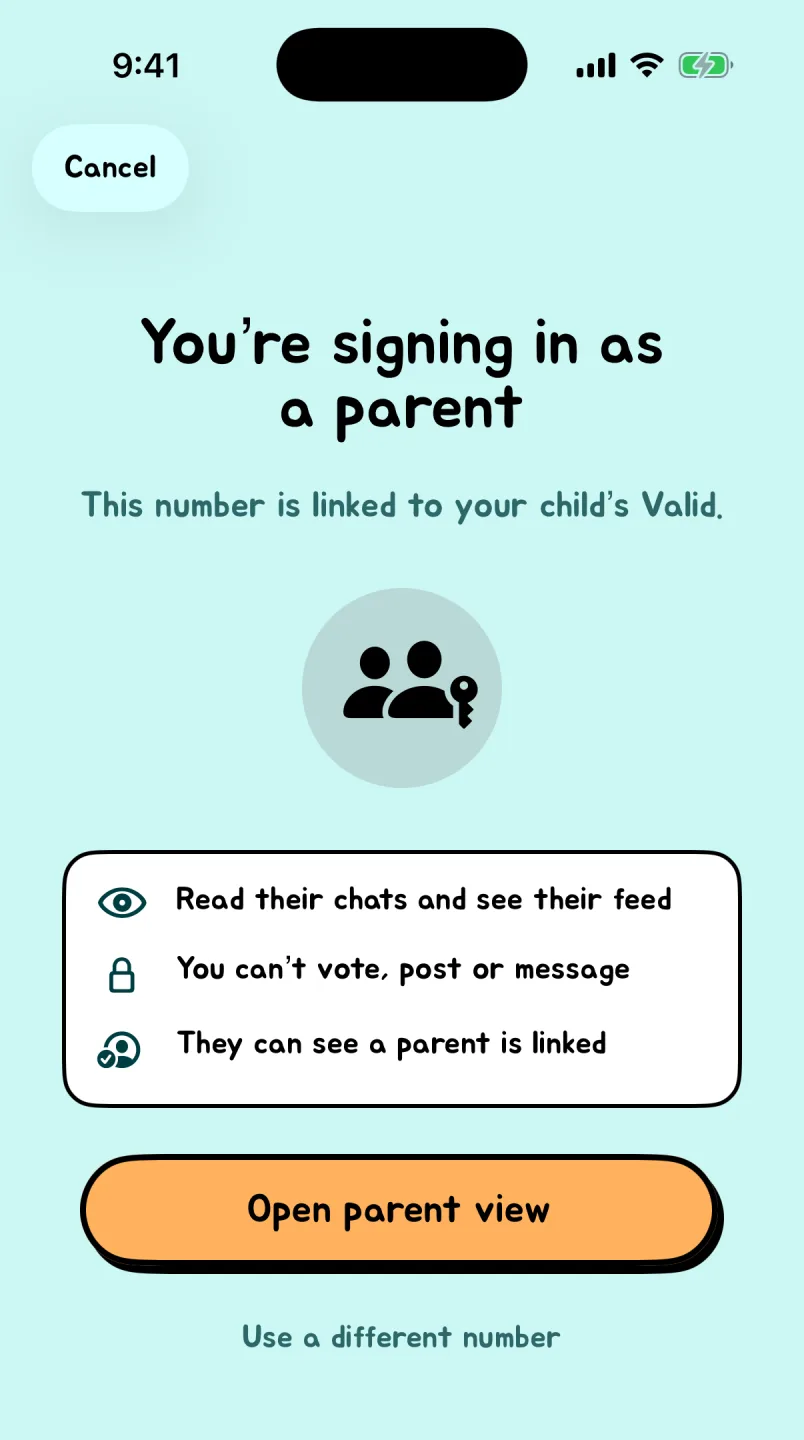
Sign in as a parent
Download Valid on your own iPhone, tap Log in, and use the same phone number. Tap Open parent view.
-
Your phone
Choose their settings
Open the Settings tab in parent view to choose who can add, message, and see your child, and more. A safer choice stays in place while you're linked.
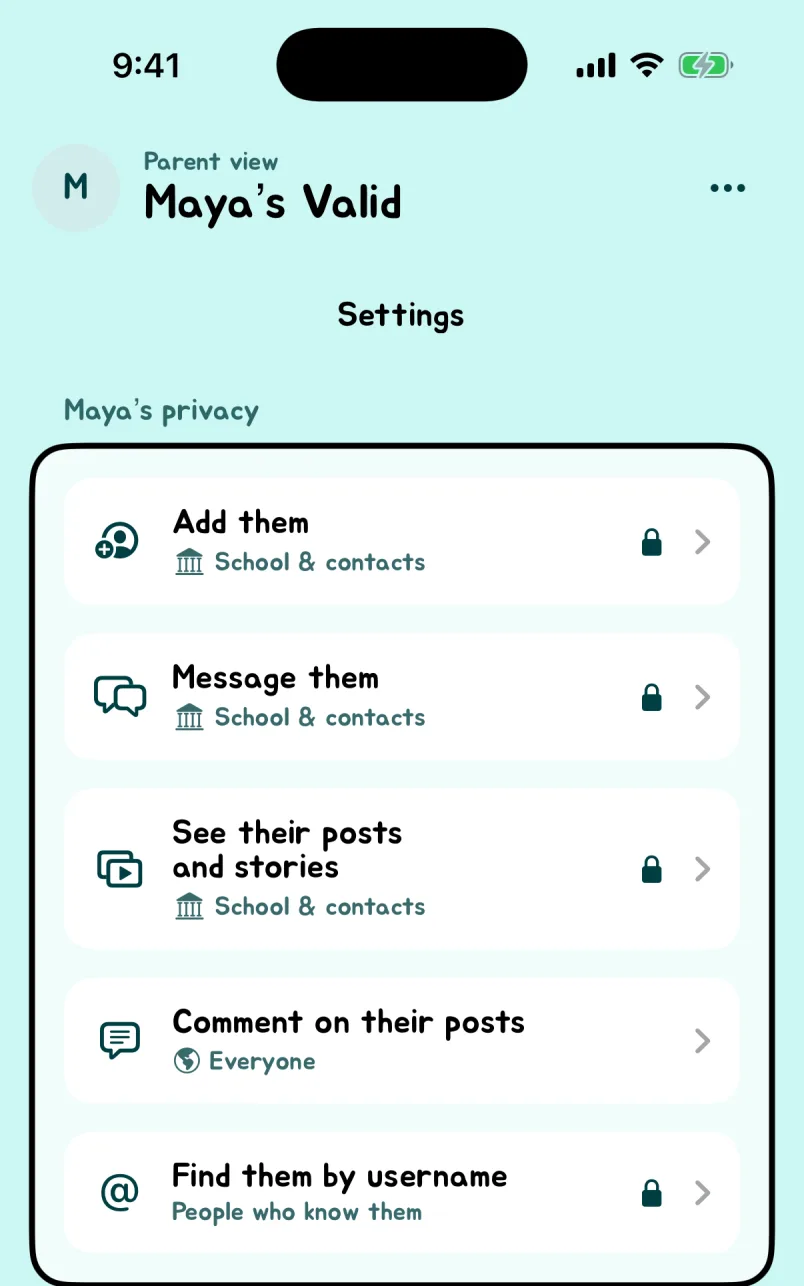
Don't see Parent access on your child's iPhone? Check the username or number you entered, update Valid from the App Store, and reopen Privacy. Still stuck? Email support.
Our mission
Give classmates compliments and make memories through Mementos and chats.
So much of social media today revolves around watching an endless stream of content. We believe there should also be space for students to connect with people they know, express appreciation, and build friendships within their communities.
We're building Valid to make it easier to express appreciation, start conversations, and strengthen friendships within school communities. That purpose also means taking concerns about privacy, spending, and harmful behavior seriously.
Your questions, answered
What is Valid, and who is it for?
We created Valid to give students a safe space to connect within their communities. Students can only add classmates and people in their contacts; they cannot add strangers outside those groups. We believe keeping connections within those familiar circles creates a safer environment for students.
Through positive polls, chats, and Stories, students can express appreciation and build friendships with the people around them. Valid is for students ages 13 and older, as set out in our Terms.
Does Valid have parental controls?
Yes. Valid has parental controls through Parent access on iPhone. Once linked, a parent signs in with their own phone number on their own phone to read their child's text chats and see polls about their child and their school's feed.
For linked teen accounts (ages 13–17), parents can choose:
- Who can add them, who can message them, and who can find them by username
- Who can see their posts and Stories and who can comment on their posts
- Whether they appear in polls and whether others can see when they're active
- Whether the For You feed and For You profiles are on
Choosing the safer setting keeps it in place while the parent is linked; your child can't change it back. Parents can also see their child's profile and posts.
To link an account: enter your child's username or phone number above, then follow the steps to link your phone with a text code on your child's iPhone. If you are already linked, choose Log in in Valid on your phone and use that number.
Parent access shows text messages, not chat photos, videos, or voice notes. Parents can report concerns, but cannot send messages, post, or vote as their child. Parent access ends when the child turns 18.
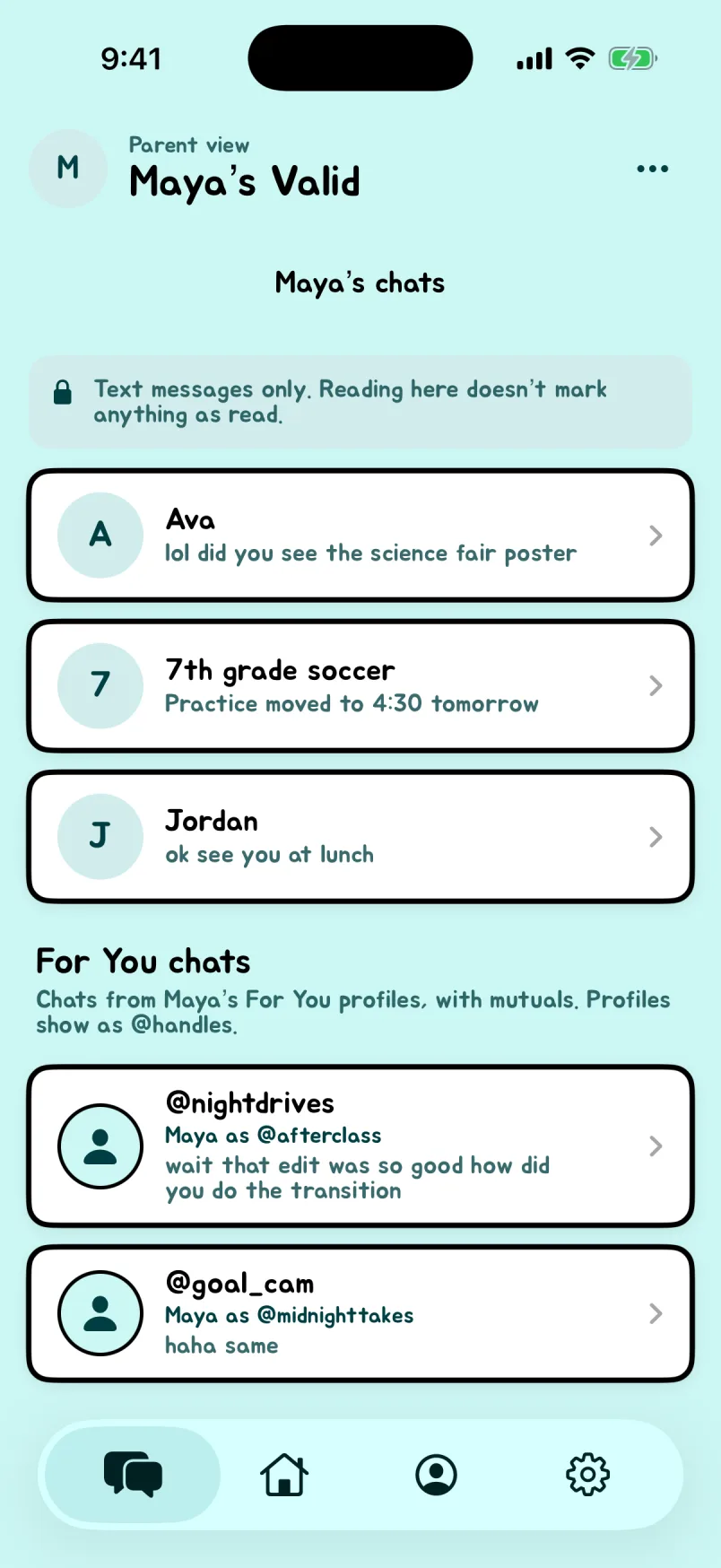
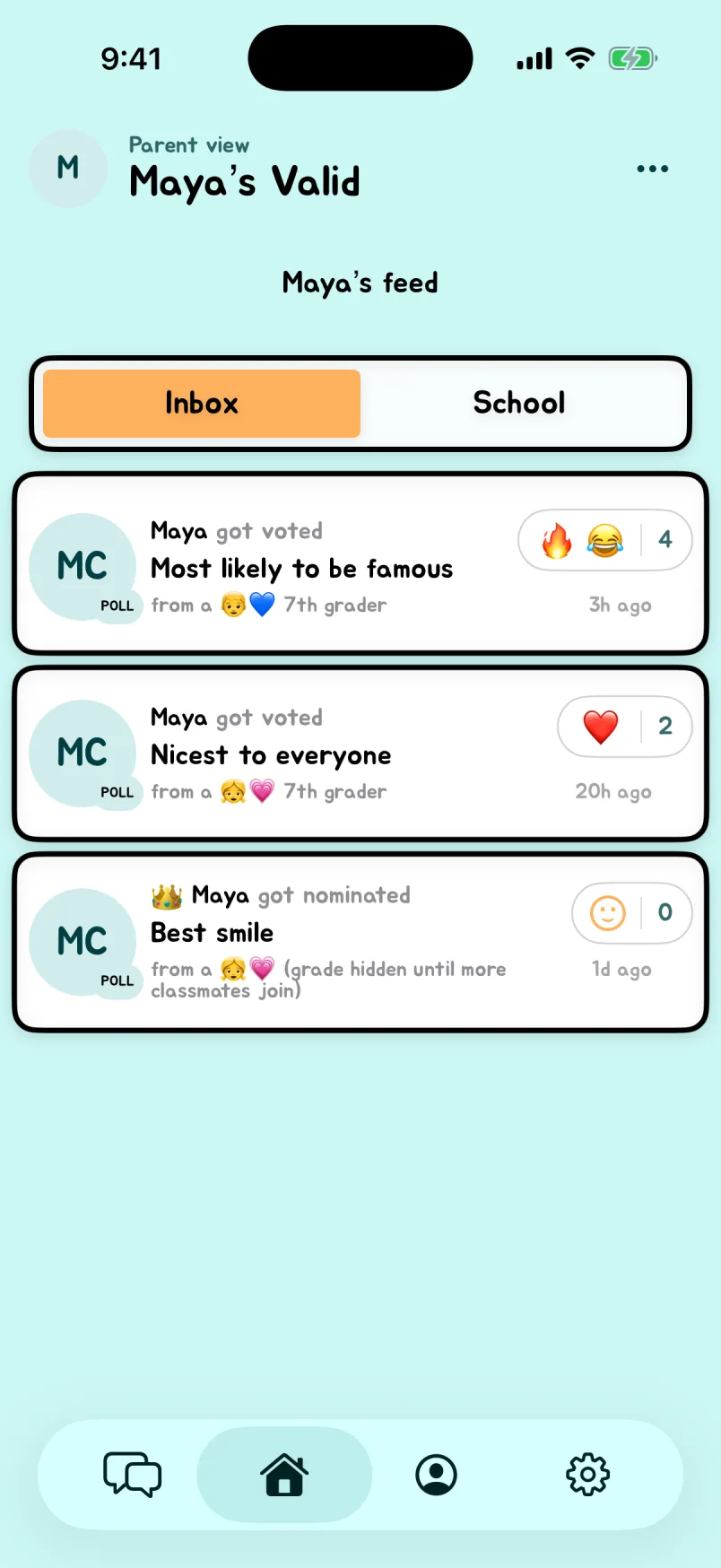
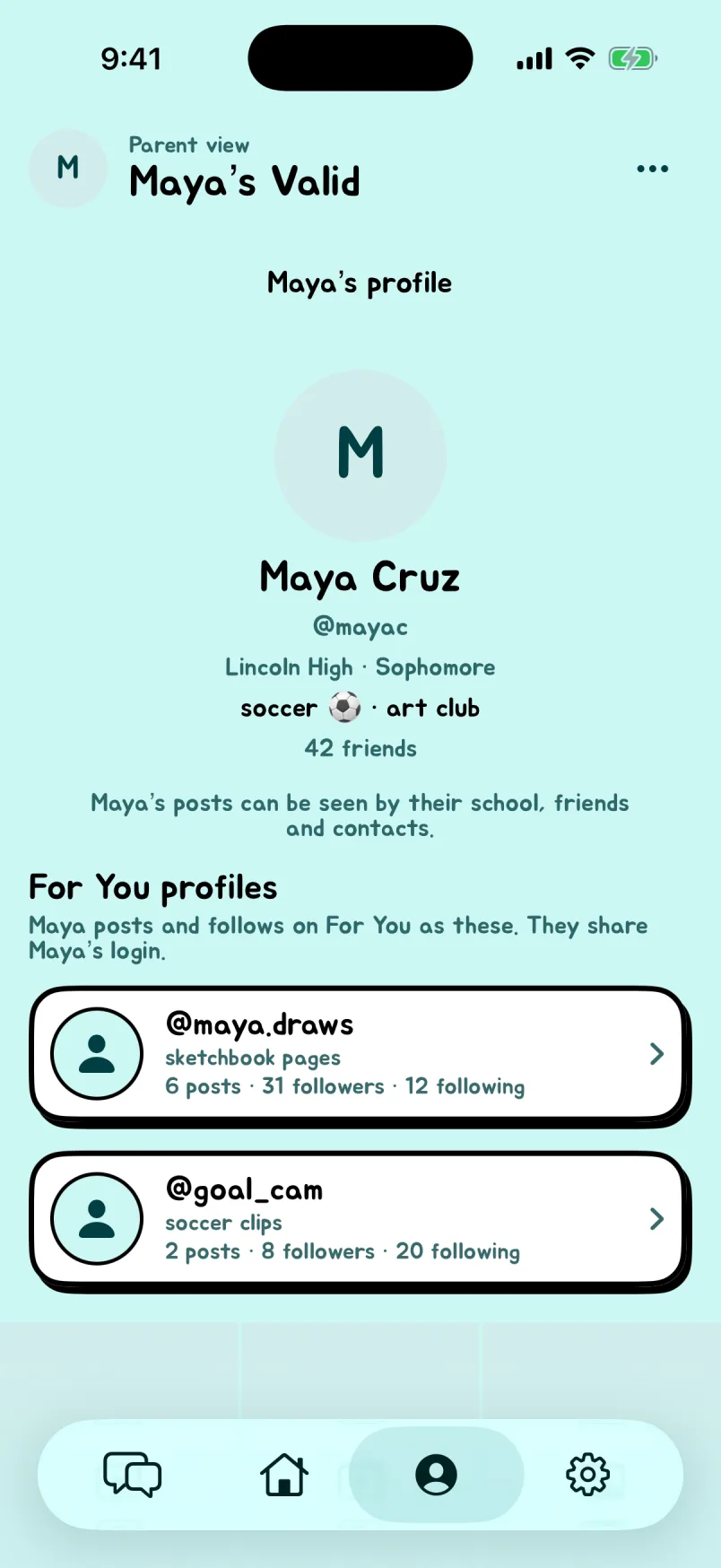
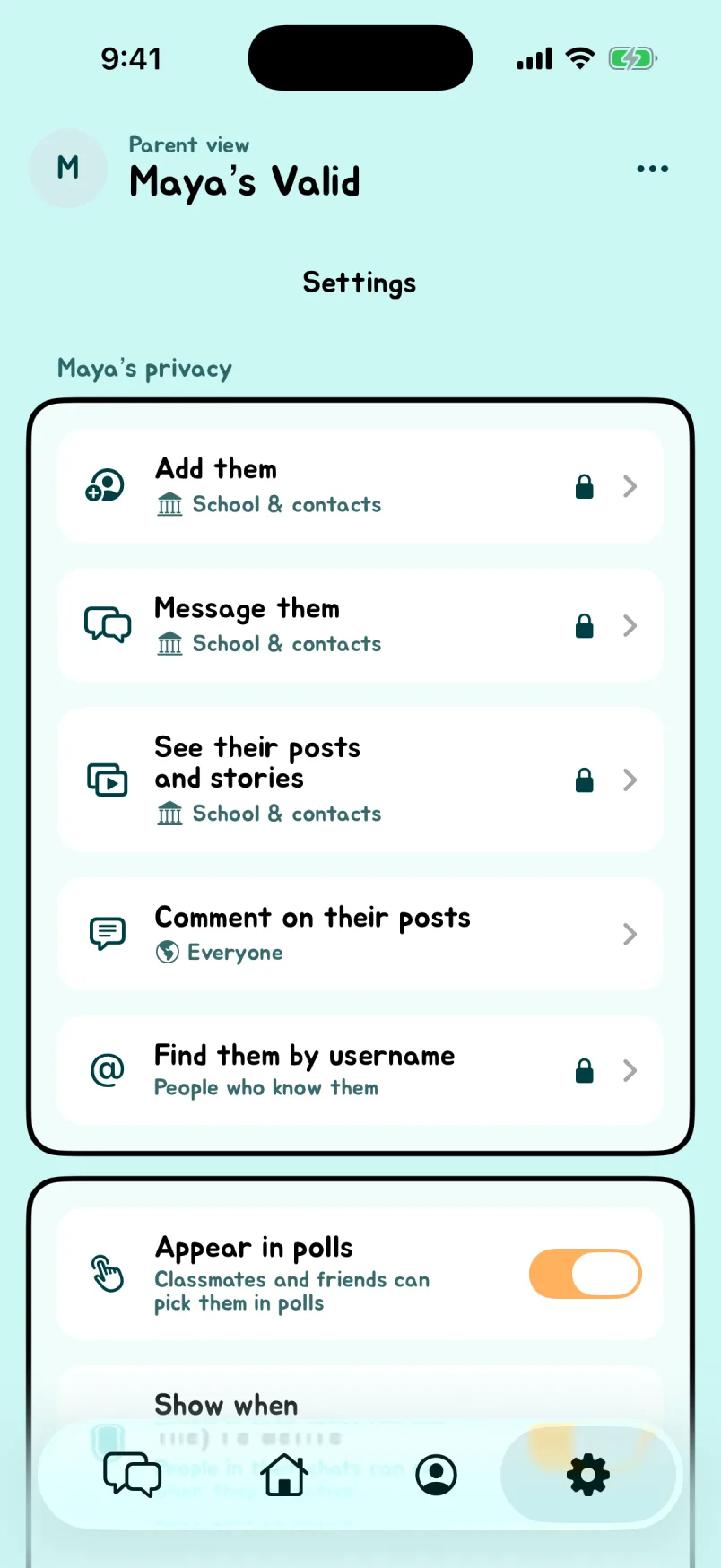
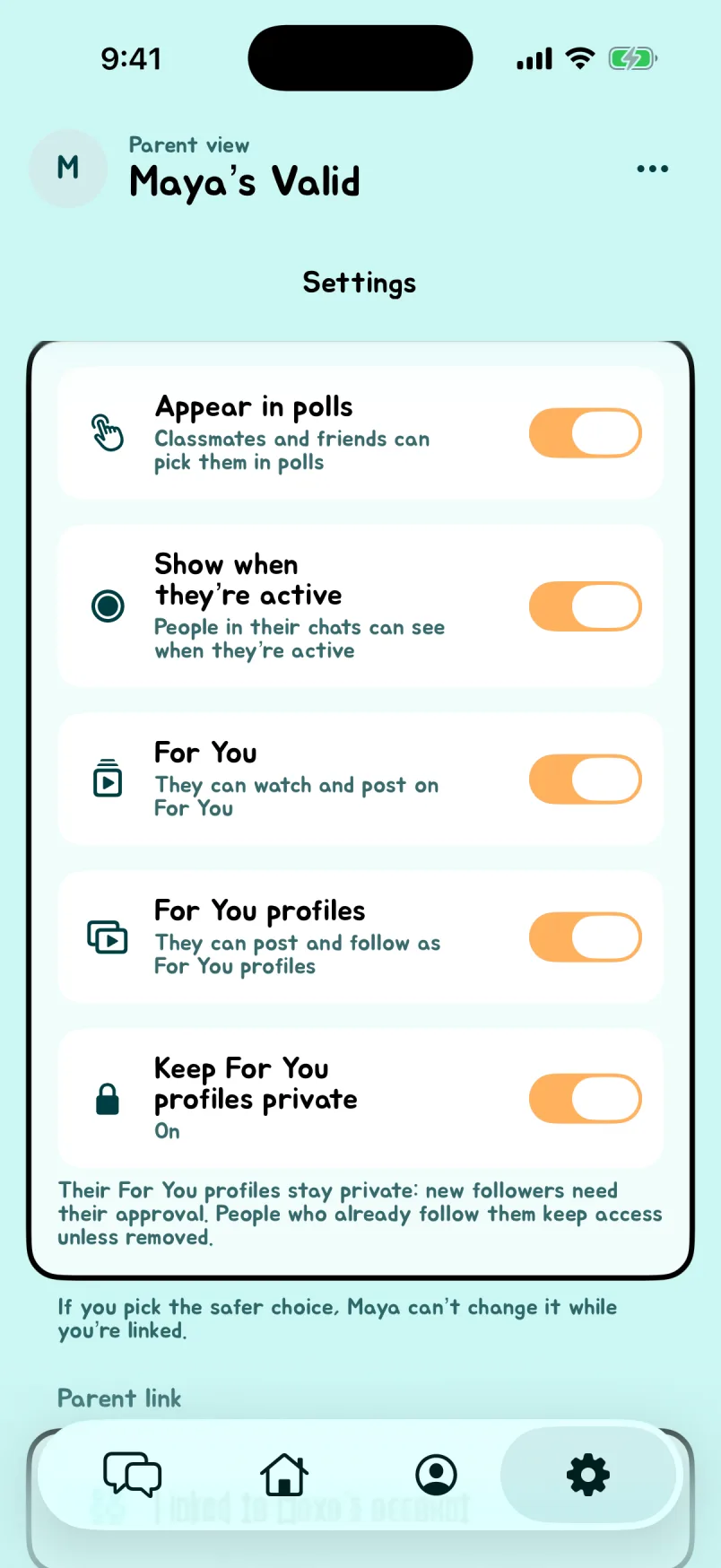
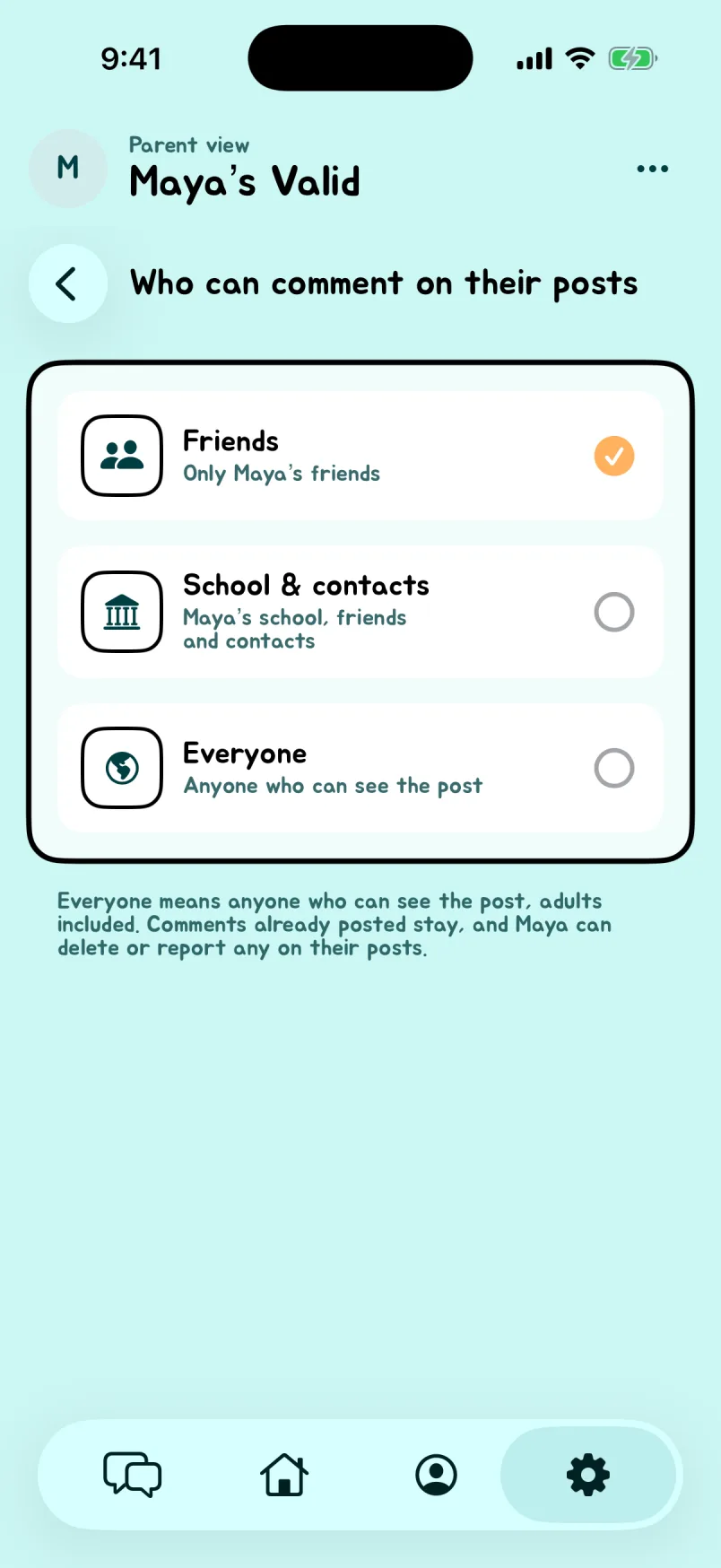
Screenshots show example names and conversations. Tap a screenshot to see it full size.
Can an app built around compliments still be used for bullying?
We care deeply about students' experience on Valid, and we do our best to make it a kind, welcoming place. Every poll is reviewed by a human moderator before it is published. Our rules prohibit bullying, harassment, impersonation, and manipulating votes. Students also have reporting and blocking tools to help protect their experience.
Our moderation SLA is under 15 minutes. That is our commitment to a fast moderation turnaround when content needs review.
No social app can prevent every harmful interaction, including sarcasm or conflict that carries over from school. If something feels wrong, we want students and parents to report it so we can address it.
What information does Valid collect, and is it sold?
We do NOT buy or sell data, nor will we ever.
Valid handles account and school details, shared contacts, activity and purchase information, uploaded content, and technical information needed to operate the service. Our Privacy Policy explains sharing with service providers and other circumstances, such as legal requests.
This parent FAQ explains the product. The Privacy Policy contains the fuller information about data use, sharing, and retention.
Why does Valid ask for a school and access to contacts?
A school selection helps organize the school community. Contacts help match people a student knows and support friend discovery, polls, and invitations.
We encourage students to chat only with people in their contacts or people they know directly at school. If they do not recognize someone, they should decline the conversation or block the user.
Valid puts this choice into the app: students can review a chat invitation and choose Accept or Decline before joining. For group invitations, they can also review who's in the group before deciding. If someone isn't in their contacts, or Valid can't verify the contact match, an additional safety prompt reminds them to accept only invitations from people they know.
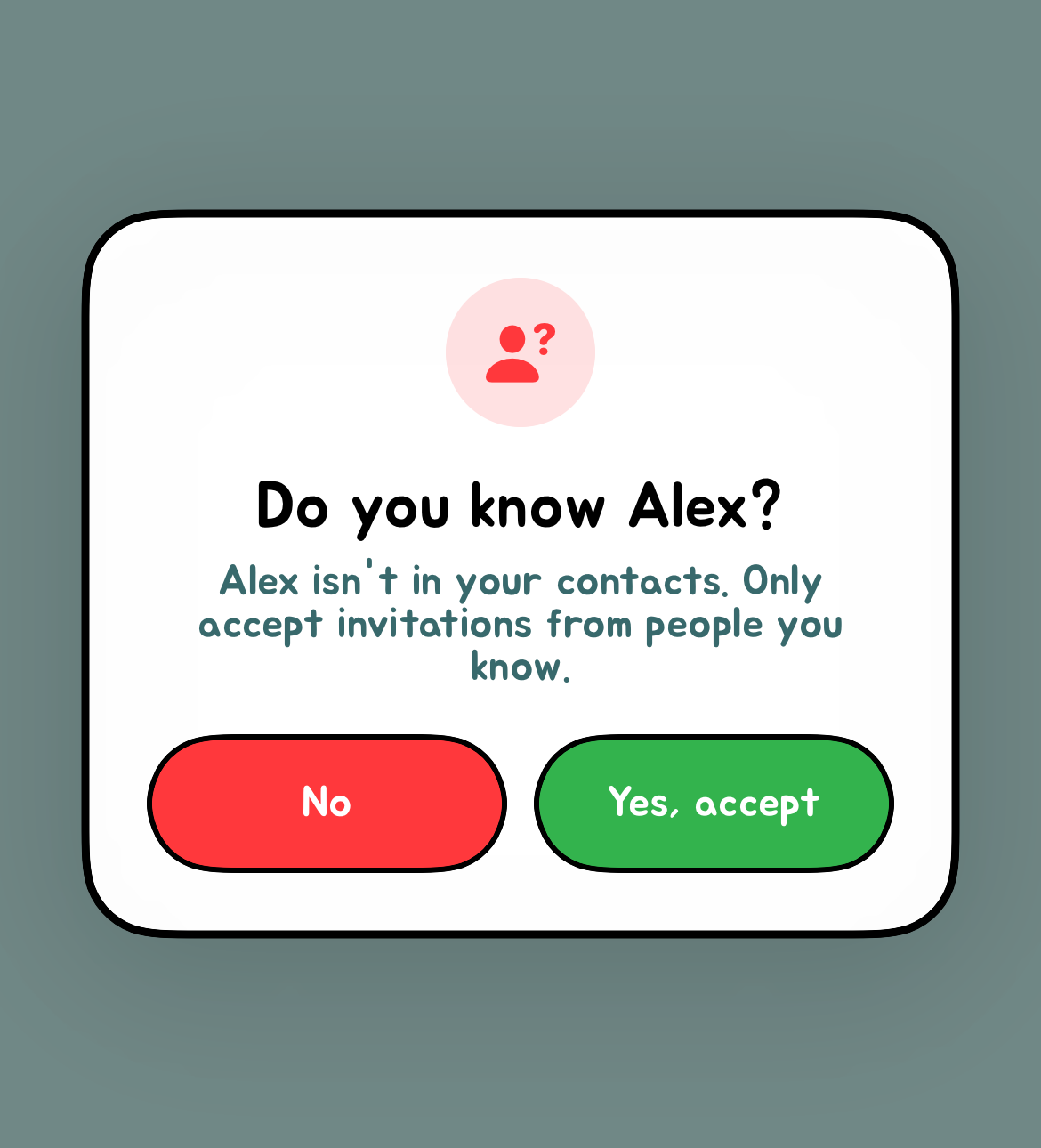
What should we do about an upsetting question, comment, or user?
Use the report or block controls available on the relevant content or profile. You can also email [email protected] with the username, what happened, and where it appeared. Avoid posting a child's personal information in public comments.
What should I ask my child before they use Valid?
Start with what they want from it: connecting with friends, joining conversations, or seeing poll results. Then discuss who may see their activity, what identity reveals mean, which contacts they are sharing, and whether purchases are allowed.
Make a plan for what they will do if someone is unkind or they feel pressure to participate. They should know they can come to you, report a problem, or leave without having to defend that choice.
What about pressure to check notifications or compare popularity?
Votes, notifications, and uncertainty about who responded can make a social app hard to put down. A compliment can feel good, while receiving fewer votes or trying to interpret a response can feel upsetting. Poll activity is not a reliable measure of a student's value or how much people care about them.
Talk about how using Valid actually feels. Families can turn off notifications in device settings, agree on time away from the app, and set spending boundaries. If using it is making your child anxious or excluded, taking a break is a reasonable choice.
Are votes really anonymous? Can someone find out who voted?
Voter identities are hidden by default, but anonymity is not absolute. Valid has reveal features that can show a voter's name and profile photo to the person who received the vote. Eligible anonymous question authors can also be revealed. We want to encourage positive statements that students can stand behind, which is why Valid does not offer complete anonymity.
Does Valid make money from curiosity about who voted?
Yes. Valid offers a paid subscription called God Mode, which includes reveal benefits. Those benefits can disclose an identity, rather than just provide a clue. Reveal allowances and any additional in-app point costs are explained in the app.
Wanting to know who voted can create pressure to spend. We encourage families to discuss that before a purchase. Review the price, renewal period, and included benefits together; paying for a feature should never be treated as a measure of someone's worth or friendships.
How do we cancel a subscription or leave Valid?
In Valid, go to your profile and tap Profile information. Tap Manage God Mode, then Unsubscribe. If an offer appears, choose Unsubscribe anyway, then follow the prompts to confirm cancellation.
On the web app, choose Unsubscribe from God Mode in Profile information. You can also use our Manage God Mode page for web billing or App Store subscriptions. To stop future charges, cancel your subscription using the steps above before deleting your account. Uninstalling Valid does not cancel your subscription.
Use the account-deletion option in Valid where available, or contact [email protected]. If your child has never joined, you can still request removal of their information. Tell support separately if you also want messages stopped and the phone number excluded from voting.
Can someone be included or receive a text before joining?
Texts about Valid can include invitations shared by members and activity notifications sent by Valid. People saved in a member’s contacts can be included in polls before they create an account.
Receiving a text does not mean you have created a Valid account. Read why you received a text from Valid for the different message types and how to stop messages or request removal.
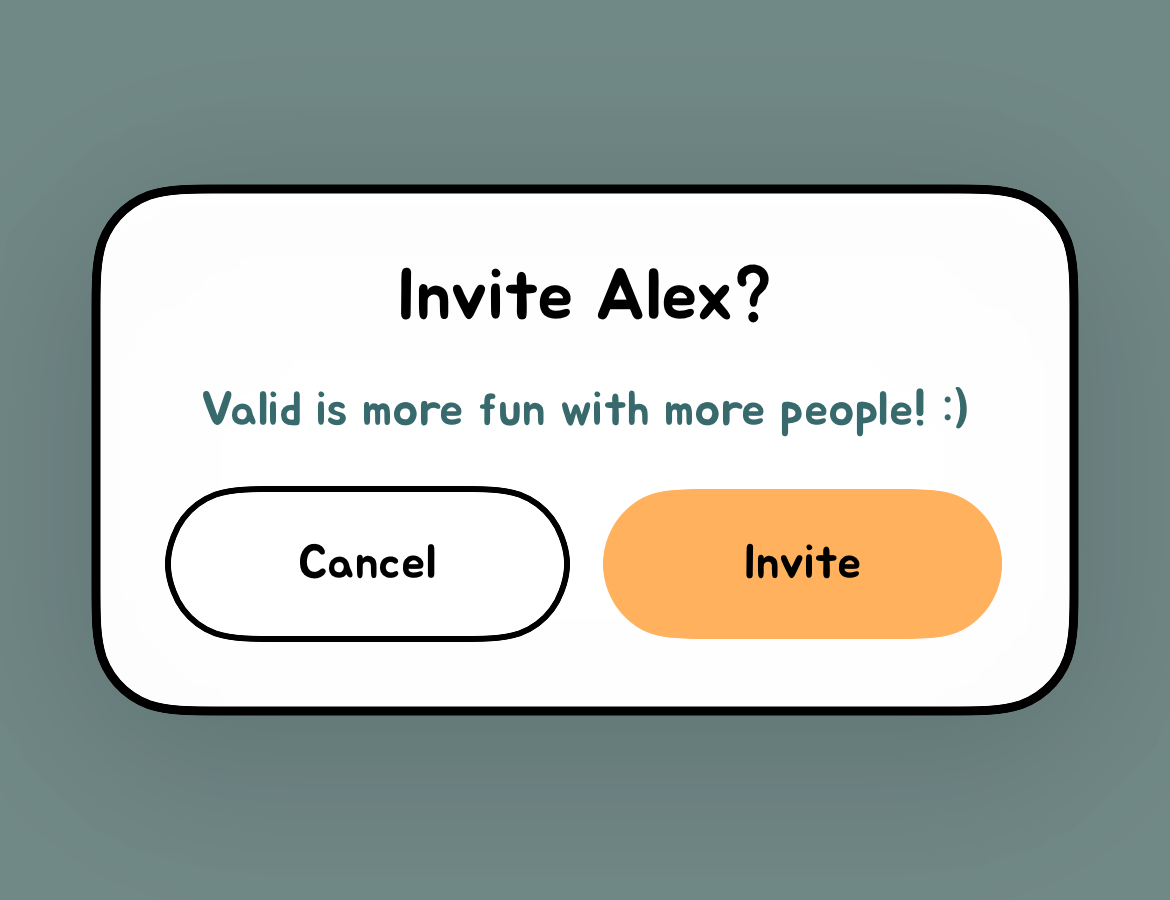
Here is an example of the invite prompt a user can see after voting for someone who hasn't joined. Tapping Invite opens a text message composer, where the user can review the invitation and choose whether to send it.
If you or your child do not want to participate, email [email protected] and ask for information removal, text opt-out, and suppression from voting. We usually respond within five minutes. We're also working on a self-service way to delete your information and opt out.
Does Valid automatically text everyone in my child’s contacts?
No. Installing Valid or granting contact access does not automatically invite everyone in your contacts. On iPhone, members review invitations in the Messages composer and choose whether to send. Every Valid text is personally sent by a classmate. See how contact access, invitations, and service texts differ, including how to stop messages.
People can be included in polls before they join. A concern about an unwanted Valid message should be investigated even when there is no evidence of an entire contact list being texted. You can request text opt-out, information removal, and exclusion from voting without installing Valid.
Is Valid affiliated with Peek: Secret Compliment?
No. Valid — Compliment Classmates is not affiliated with Peek: Secret Compliment. They are separate apps. Valid does not automatically send invitations to your entire contact list when you install the app or grant contact access. Members choose whether to send invitations through their phone’s message composer. Valid also sends separate activity notifications through its messaging service. Read how Valid texts work and how to stop them.
We’re clarifying this because KNWA/FOX24’s coverage of compliment texts identifies Peek and quotes a school superintendent’s concerns about messages spreading through users’ contact lists. That reporting concerns Peek.
This FAQ explains Valid’s safety practices and privacy commitments. For details about messages from Valid and how to stop them, read why you received a text from Valid.
Have a question about your child?
Parents and caregivers can contact us at [email protected], including to report a potentially underage account. Tell us what you need help with so we can review the situation.